
Best overall for targeted pop-ups: OptinMonster. Best for ecommerce sign-ups: Privy. Best for CRM-connected capture: HubSpot forms. This 2026 guide compares the best pop-up and lead capture tools by the job they do, the follow-up they support, and the friction they add.
TL;DR
- OptinMonster leads the best pop-up and lead capture tools shortlist for targeted website campaigns.
- Privy suits ecommerce sign-ups; HubSpot forms suit businesses connecting submissions to customer records.
- Typeform suits qualification questions; Mailchimp forms suit businesses already using Mailchimp for email.
- Choose on qualified customers and contribution profit, not the number of email addresses collected.
Why this matters
A bigger email list is not the same as a healthier business. A form that attracts poor-fit leads creates follow-up work without fixing your acquisition economics.
For your 2026 shortlist, separate capture from conversion. Capture means collecting permission and contact details. Conversion means turning that contact into a sale, booking, or another commercially meaningful action.
The fVnnel connects strategy, acquisition, creative, conversion, and tracking as one growth system. That is the right context for this decision: your pop-up is an entry point, not a standalone growth strategy.
The commercial distinction matters. For Kidney Coach, return on ad spend moved from 1.33 to over 3.8, profit rose roughly 45%, and ad spend fell nearly 40%. Those results are not evidence for any tool ranked here. They illustrate the outcome your capture strategy should serve: better economics, not simply more activity.
What makes the best lead capture tool?
Use these criteria before comparing templates. Your 2026 requirements should reflect the constraint in your business, not the longest feature list.
- Relevant targeting: You need control over who sees an offer, where it appears, and when it interrupts the visit.
- Follow-up connection: A submission should reach the right email platform or customer relationship management system, called a CRM, with useful context.
- Qualification: The form should collect enough information to support the next decision without demanding unnecessary effort.
- Visitor experience: Your capture layer should work on mobile, support accessible interaction, and leave the main page usable.
- Commercial measurement: You need to connect submissions with accepted leads, customers, and revenue rather than stopping at form completions.
- Operational fit: Your team must be able to maintain consent language, audience rules, field mappings, and follow-up ownership.
Choose the simplest tool that fixes your current capture problem and connects to the next action. More configuration is not automatically more control if nobody maintains it.
Best pop-up and lead capture tools at a glance
The order below prioritizes the capture job each tool serves. These are distinct recommendations, not claims that every business needs a dedicated pop-up platform.
| Tool | Best for | Standout capability | Key limitation |
|---|---|---|---|
| OptinMonster | Targeted website pop-ups | Campaign display and targeting controls | Does not replace your email or sales follow-up system |
| Privy | Ecommerce email capture | Store-focused sign-up campaigns | Less aligned with complex sales qualification |
| HubSpot forms | CRM-connected lead capture | Form submissions connected to CRM records | More connected workflows require more process ownership |
| Typeform | Question-led qualification | Conversational, multi-question forms | More questions create more work for visitors |
| Mailchimp forms | Capture within an existing email setup | Forms connected to a Mailchimp audience | Less focused on specialized on-site targeting |
1. OptinMonster: best pop-up tool for targeted campaigns
OptinMonster is a dedicated website conversion tool with pop-ups and other on-site campaign formats. Its targeting and display controls suit businesses that need different offers for different visitor contexts.
Use it when the problem is relevance: the same generic sign-up prompt appears everywhere, regardless of what someone is reading. Define the audience and offer first, then configure the campaign around that decision.
OptinMonster pros:
- Dedicated controls for on-site capture campaigns.
- Multiple campaign formats beyond a standard embedded form.
- Targeting options that support context-specific offers.
OptinMonster cons:
- Requires a separate destination for email nurturing or sales follow-up.
- Additional campaigns create more rules and exclusions to maintain.
Best for: Established businesses with website traffic, a clear offer, and a specific need for targeted capture.
Before choosing it, identify who owns campaign changes and who checks that submissions arrive correctly. A well-targeted pop-up still fails commercially when its follow-up breaks.
Verdict: Buy for targeting control. Skip if a straightforward embedded form already does the job.
2. Privy: best lead capture tool for ecommerce sign-ups
Privy combines ecommerce-focused sign-up tools with email and SMS marketing capabilities. It suits stores that want capture connected closely to subsequent customer communication.
Your decision should start with the reason someone would subscribe. Product education, launch updates, and other relevant messages need a clear promise; an interruption without a useful offer is still an interruption.
Privy pros:
- Ecommerce-oriented capture and messaging workflows.
- Sign-up campaigns designed around store visitors.
- Capture and follow-up capabilities within the same product family.
Privy cons:
- Not the strongest fit for detailed business-to-business qualification.
- Another messaging platform adds overlap if your existing system already handles the required work.
Best for: Consumer brands that need store-focused sign-ups and a clear route into ongoing messaging.
Check whether Privy replaces an existing workflow or creates a parallel one. Keep ownership of subscription status, exclusions, and customer communications clear before connecting systems.
Verdict: Buy for ecommerce capture. Skip when your main requirement is sales qualification rather than store messaging.
3. HubSpot forms: best lead capture tool for CRM connection
HubSpot forms collect website submissions and connect them with CRM records. That makes them a strong starting point when your main problem is what happens after someone expresses interest.
The fVnnel recommends HubSpot forms for established businesses that need captured leads connected to customer records. This is a workflow recommendation, not a reason to replace a functioning CRM simply to add a form.
HubSpot forms pros:
- Submissions connected with CRM contact records.
- A direct fit for teams already managing leads in HubSpot.
- Form information available in the context of the customer relationship.
HubSpot forms cons:
- CRM connection does not fix unclear sales ownership.
- Complex routing and automation need deliberate setup and maintenance.
Best for: Businesses whose capture problem is disconnected records, inconsistent handoffs, or unclear lead ownership.
Decide what each field changes downstream. If a field never changes qualification, routing, or follow-up, question why you collect it. Ask about organization size only when that answer affects what happens next.
Verdict: Buy for CRM-connected capture. Hold if adopting it would create a second customer database without a clear purpose.
4. Typeform: best lead capture tool for qualification questions
Typeform presents questions in a conversational form experience and supports branching through logic. It fits applications, assessments, and enquiries where the answers matter as much as the email address.
For an expert-led business, that can mean distinguishing someone seeking introductory information from someone ready to discuss a service. The form should help you make that distinction, not turn a simple enquiry into an interview.
Typeform pros:
- Question-led format suited to structured enquiries.
- Logic for adapting the question path to earlier answers.
- Useful for collecting context before a human conversation.
Typeform cons:
- A longer question path asks more of the visitor.
- Captured answers still need an operational destination and an owner.
Best for: Established service, education, and coaching businesses that need meaningful qualification before follow-up.
Write the qualification decision before writing the questions. Then remove anything that does not help make that decision. A polished questionnaire is not an improvement if your team ignores its answers.
Verdict: Buy when qualification changes the next action. Skip for a simple newsletter subscription.
5. Mailchimp forms: best lead capture tool for existing email users
Mailchimp includes sign-up forms that connect contacts with a Mailchimp audience. For a business already using the platform, this keeps basic capture close to email follow-up.
Start here when your actual need is modest: collect permission, deliver what you promised, and send relevant communication. You do not need a separate pop-up platform merely because one exists.
Mailchimp forms pros:
- Direct connection to a Mailchimp audience.
- Embedded capture suitable for straightforward subscriptions.
- Fewer separate systems when Mailchimp already handles your email.
Mailchimp forms cons:
- Less suited to specialized on-site campaign targeting.
- Not a substitute for a sales qualification and routing process.
Best for: Businesses already using Mailchimp that need straightforward email capture rather than advanced targeting.
Test the full subscription experience, including the message that follows submission. A working form and a confusing welcome email still create a broken customer experience.
Verdict: Buy into the existing workflow first. Hold on adding another tool until you can name the missing capability.
How we ranked these tools
The fVnnel’s ranking prioritizes targeting, follow-up connection, qualification, visitor experience, measurement, and operational fit. OptinMonster leads for dedicated pop-up control; the remaining tools win narrower jobs rather than competing for the same default position.
This is a use-case assessment, not a claim of controlled testing or a benchmark of conversion rates. A different constraint changes the recommendation. If your CRM handoff is broken, repairing that connection matters more than choosing another display format.
Measure the customer path, not just the form
For a 2026 implementation, define the reporting path before publishing. Otherwise, the easiest number to find becomes the number your team optimizes.
Use a connected sequence:
- Capture: Record the submission source and the offer that prompted it.
- Qualification: Apply the business’s agreed definition of a suitable lead.
- Follow-up: Assign an owner and an appropriate next action.
- Customer outcome: Connect the lead with the resulting booking, sale, or closed opportunity.
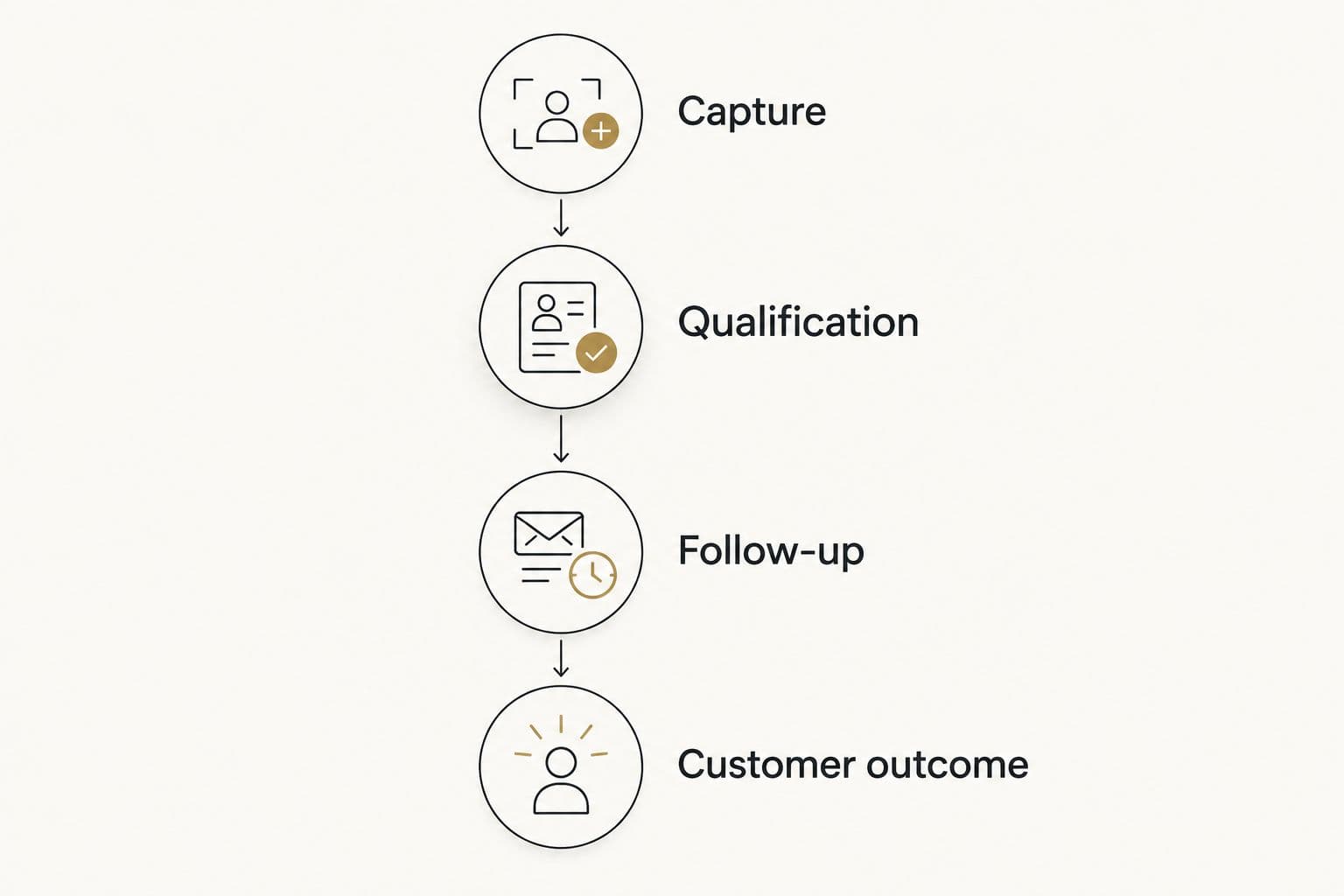
Track the customer outcome, not only the form submission.
The principle of lead qualification before scaling applies here: more submissions are not progress when the additional contacts do not fit your offer. Judge a campaign by the useful demand it creates, not the size of its submission report.
Keep definitions stable when comparing campaigns. A newsletter subscriber and a sales-ready enquiry are different outcomes, even when both arrive through a pop-up.
Email capture also depends on successful delivery. Your form can work correctly while the promised follow-up never reaches the recipient, so include email deliverability tools in the operational review when delivery is the constraint.
Roll out without disrupting existing demand
Start with the page and audience where the offer makes sense. Avoid applying the same interruption across every visit simply because the software makes it possible.
For your 2026 launch, document the offer, audience, exclusions, destination, and owner. Then test the actual journey on desktop and mobile, including validation errors, consent language, submission delivery, and the next message.
Check keyboard operation and the ability to dismiss the pop-up. Keep essential page content accessible. A capture campaign should not prevent an existing customer from completing the task that brought them to your site.
Change the offer or targeting with a clear hypothesis. If you change the form, traffic source, and follow-up simultaneously, you lose a clean explanation for the result.
Which lead capture tool should you choose?
Choose OptinMonster when targeted pop-ups are the missing capability. Choose Privy for ecommerce sign-ups, HubSpot forms for CRM connection, Typeform for qualification, and Mailchimp forms when your existing email setup already covers the job.
If you cannot identify a missing capability, keep your current tool and repair the offer, handoff, or measurement. A software switch is not a diagnosis.
FAQ
What are the best pop-up and lead capture tools in 2026?
OptinMonster is the default shortlist choice for targeted pop-ups. Privy suits ecommerce sign-ups, HubSpot forms suit CRM-connected capture, Typeform suits qualification, and Mailchimp forms suit existing Mailchimp users.
Is a pop-up better than an embedded form?
Neither format is automatically better. Use an embedded form for a persistent, predictable capture point and a pop-up when a relevant offer justifies interrupting the visit.
Which lead capture tool works best with a CRM?
HubSpot forms are a strong choice when HubSpot is already your CRM. If you use another CRM, confirm the submission mapping and ownership workflow before choosing a separate capture tool.
Should I use Typeform for newsletter sign-ups?
A straightforward sign-up form is usually the better starting point for a newsletter. Typeform fits better when answers determine qualification or the next action.
What should I measure after a form submission?
Measure qualification, follow-up, and the resulting customer outcome. Keep newsletter subscriptions separate from sales enquiries so the reporting reflects different levels of intent.
Do I need a separate pop-up tool if I already use Mailchimp?
Not unless your current setup lacks a capability you need. Start with the existing forms and add another platform only for a defined targeting or campaign requirement.
How do I avoid collecting low-quality leads?
Make the offer specific and ask questions that affect qualification. Connect submissions with downstream outcomes so you can distinguish useful demand from contacts who never become suitable customers.
One last thing
For your 2026 decision, read the first message a new lead receives before changing the pop-up. If the promise and the follow-up disagree, a better-looking form simply sends more people into the same broken experience.