
Best overall for Gmail diagnostics: Google Postmaster Tools. Best for inbox placement testing: GlockApps. Best for checking an individual message: mail-tester. This 2026 guide compares the best email deliverability tools by the problem each solves, within the connected approach to growth offered by The fVnnel.
TL;DR
- Google Postmaster Tools leads the best email deliverability tools for diagnosing Gmail sender reputation.
- Choose GlockApps for inbox placement testing, not proof that every subscriber receives your message.
- Use dmarcian for DMARC reporting and MXToolbox for DNS troubleshooting. Neither replaces message testing.
- The fVnnel’s growth-system perspective connects email diagnostics with acquisition quality, conversion, and business outcomes.
Why this matters
A delivered message is not necessarily an inboxed message. A receiving server can accept your email and then route it to spam. That distinction matters when you pay to acquire subscribers but cannot reliably reach them afterward.
Email deliverability tools reveal different parts of that journey. Some inspect authentication, some report sender reputation, and others test where a message lands. Buy against the problem you need to diagnose, not the longest feature list.
The fVnnel connects strategy, paid acquisition, performance creative, websites, SEO, and tracking. Apply that same system-level thinking here: better delivery cannot repair a misleading signup promise, and better creative cannot repair broken authentication.
What makes the best email deliverability tools?
Judge your 2026 shortlist against these criteria before comparing products:
- Diagnostic fit: Does the tool answer your actual question, such as Gmail reputation, authentication failures, or spam-folder placement?
- Evidence scope: Does the result describe your sending traffic, a test message, or a controlled set of test inboxes?
- Actionability: Can you connect a finding to a specific sender, record, campaign, or configuration change?
- Provider coverage: Does the tool cover the mailbox providers your subscribers actually use?
- Operational ownership: Can someone on your team interpret the results and make the required changes?
No tool wins every category. Domain authentication establishes who sent a message; reputation reflects how receiving systems view that sender. Both matter, but they are not interchangeable.
Best email deliverability tools at a glance
| Tool | Best for | Standout capability | Key limitation |
|---|---|---|---|
| Google Postmaster Tools | Gmail sender diagnostics | Gmail-specific reputation and delivery dashboards | Does not describe other mailbox providers |
| GlockApps | Pre-send inbox placement testing | Tests placement across seed inboxes | Test inboxes do not represent every subscriber |
| mail-tester | Inspecting an individual message | Combines message and authentication checks | A test score is not a delivery guarantee |
| dmarcian | Understanding DMARC reports | Makes authentication reporting easier to interpret | Authentication reporting does not measure inbox placement |
| MXToolbox | Investigating DNS and blocklists | Targeted mail infrastructure lookups | A listed result does not explain every delivery failure |
| Microsoft SNDS | Microsoft IP reputation diagnostics | Visibility into sending IP activity at Microsoft | Requires access to the relevant sending IP data |
1. Google Postmaster Tools: best for Gmail sender diagnostics
Google Postmaster Tools shows eligible senders how Gmail views aspects of their sending activity. Its dashboards cover areas including reputation, authentication, spam complaints, and delivery errors. Google Postmaster Tools is the best starting point for senders diagnosing Gmail-specific reputation problems.
Start here when Gmail performance is the issue, rather than assuming your email platform needs replacing. Sparse or missing dashboard data does not establish that your sending is healthy.
Google Postmaster Tools pros:
- Provides information directly from Google about Gmail traffic.
- Separates authentication, reputation, and delivery signals.
- Helps focus investigation on Gmail rather than unrelated infrastructure.
Google Postmaster Tools cons:
- Does not explain delivery to Microsoft, Yahoo, or other providers.
- Dashboard visibility depends on sufficient eligible traffic.
- Does not test a proposed message before you send it.
Best for: Established senders with enough Gmail traffic to support useful reporting.
Verdict: Buy into Google Postmaster Tools as your Gmail diagnostic foundation, not your entire monitoring stack.
2. GlockApps: best for pre-send inbox placement testing
GlockApps uses seed testing: you send a message to controlled test addresses and inspect where it lands. That provides a placement check before you send a campaign to your audience.
Use it to investigate a suspected spam-folder problem or compare messages after a specific change. The result describes the test conditions, not a guaranteed outcome for your customer list.
GlockApps pros:
- Tests inbox placement rather than relying solely on server acceptance.
- Provides a way to compare results across supported mailbox providers.
- Supports controlled checks after message or sending changes.
GlockApps cons:
- Seed inboxes do not reproduce each subscriber’s engagement history.
- A successful test cannot guarantee campaign-wide inbox placement.
- Results still require investigation to identify the underlying cause.
Best for: Teams that need evidence about message placement before a campaign.
Verdict: Buy GlockApps when inbox placement is the unanswered question; skip it as a substitute for subscriber-level analysis.
3. mail-tester: best for inspecting an individual message
mail-tester gives you a test address to receive your message, then reports on its checks. It is useful for spotting authentication issues, message problems, and other warnings in a specific send.
Send through the system you actually use for campaigns. Testing a message from a personal mailbox does not validate a separate marketing sender.
mail-tester pros:
- Offers a direct send-and-inspect workflow.
- Combines several checks around an individual email.
- Gives teams a practical starting point for troubleshooting warnings.
mail-tester cons:
- Its score is not a universal mailbox-provider score.
- A clean result does not establish inbox placement across your audience.
- A single test does not monitor ongoing reputation changes.
Best for: Marketers checking a specific message or validating a configuration change.
Verdict: Buy into mail-tester for message checks; skip treating its score as your deliverability target.
4. dmarcian: best for understanding DMARC reports
DMARC, or Domain-based Message Authentication, Reporting, and Conformance, helps domain owners specify how receivers should handle messages that fail aligned authentication. dmarcian organizes DMARC reporting so you can investigate which systems send using your domain.
This matters when marketing, customer support, billing, and other services all send email. Authentication work needs an inventory of legitimate senders, not just a record copied into your domain settings.
dmarcian pros:
- Makes aggregate DMARC reporting easier to interpret.
- Helps identify sending sources associated with your domain.
- Supports investigation before you tighten a DMARC policy.
dmarcian cons:
- Does not measure whether a message reaches the inbox.
- Reports require interpretation alongside your legitimate sender inventory.
- DNS and sending-platform changes still need an accountable owner.
Best for: Businesses managing authentication across multiple sending services.
Verdict: Buy dmarcian for domain authentication oversight; skip it if your only question is campaign placement.
5. MXToolbox: best for DNS and blocklist troubleshooting
MXToolbox provides lookups for email-related Domain Name System records, usually shortened to DNS, and blocklist checks. Use it when you need to inspect configuration or investigate a specific technical warning.
A blocklist result needs context. Different receivers use different filtering inputs, so a listing alone does not establish why a particular campaign performed poorly.
MXToolbox pros:
- Supports targeted investigation of mail-related DNS records.
- Lets you check a sending domain or IP against supported blocklists.
- Helps technical and marketing teams discuss a specific configuration finding.
MXToolbox cons:
- Does not reproduce an individual subscriber’s inbox experience.
- A clean blocklist check does not establish a healthy sender reputation everywhere.
- Findings need interpretation before you change infrastructure.
Best for: Teams investigating DNS records, authentication configuration, or a reported blocklist issue.
Verdict: Buy into MXToolbox for targeted troubleshooting; skip using a clean lookup as campaign clearance.
6. Microsoft SNDS: best for Microsoft IP diagnostics
Microsoft Smart Network Data Services, or SNDS, provides information about sending IP activity within Microsoft’s consumer email systems. It serves a different purpose from a pre-send content check.
SNDS is most relevant when you control, or can obtain authorized access to, the sending IPs involved. On shared sending infrastructure, your email provider may need to lead the investigation.
Microsoft SNDS pros:
- Provides Microsoft-specific information about sending IP activity.
- Supports investigation of reputation and complaint signals.
- Adds provider-level evidence to infrastructure troubleshooting.
Microsoft SNDS cons:
- Requires appropriate access to sending IP information.
- Does not describe Gmail or other providers.
- Does not provide a general pre-send placement test.
Best for: Technical teams responsible for sending IPs and Microsoft delivery problems.
Verdict: Buy into Microsoft SNDS when IP-level access makes it actionable; skip it when your provider owns that investigation.
How to choose your 2026 tool stack
Start with the symptom. Choosing tools in this order keeps an authentication problem from becoming an unnecessary platform migration.
- Authentication: Check whether legitimate sending services authenticate correctly.
- Reputation: Inspect provider reporting for the affected destination.
- Placement: Test whether a representative message reaches controlled inboxes.
- Conversion: Check whether delivered campaigns produce the intended customer action.
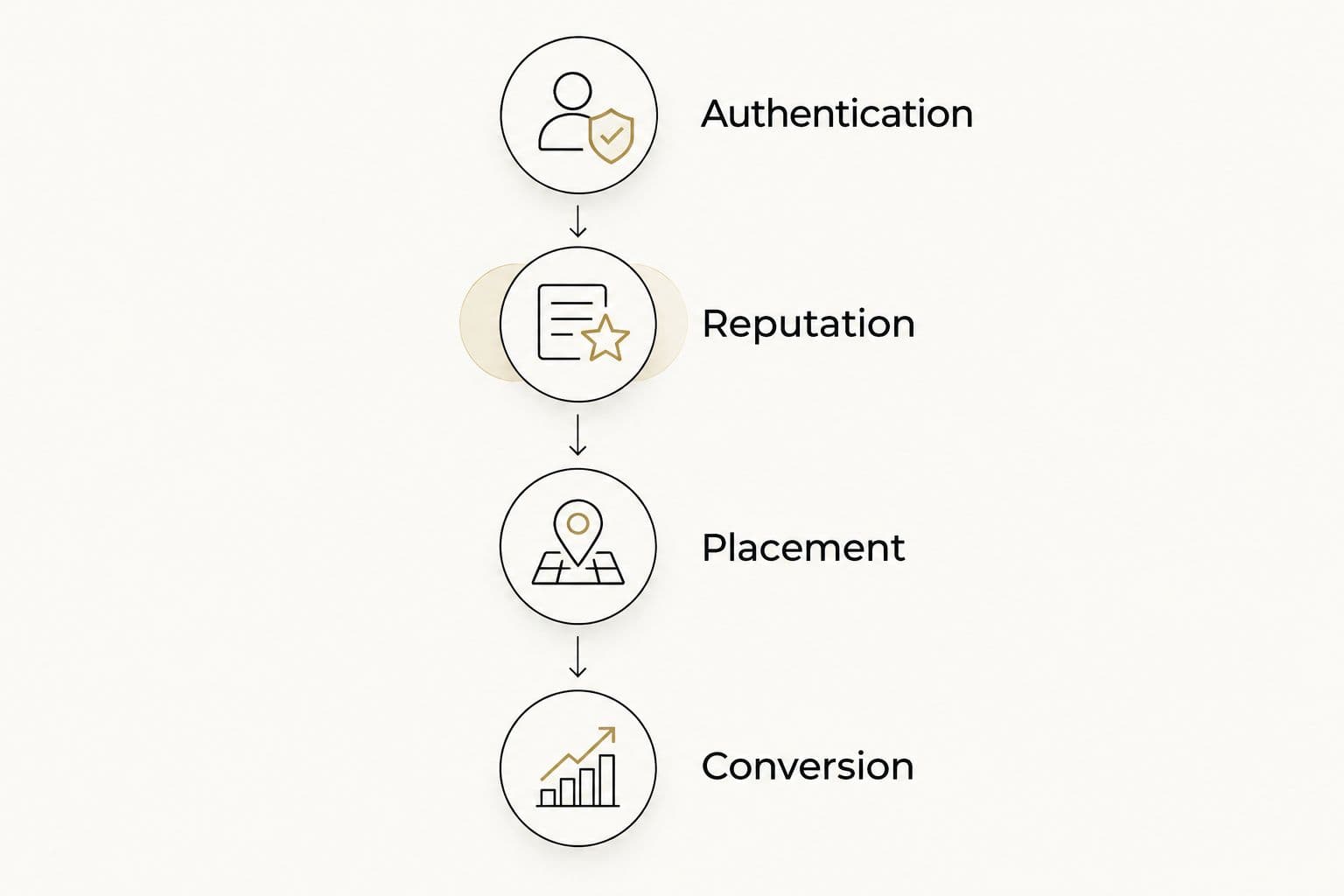
Choose the tool that answers the next unresolved question.
Keep technical standards separate from tool scores. SPF, or Sender Policy Framework, has a limit of 10 DNS lookups for mechanisms and modifiers that trigger those lookups during evaluation. Adding another service without checking the full record can create an authentication error.
DKIM, or DomainKeys Identified Mail, signs messages cryptographically. Google’s sender guidance requires a DKIM key of at least 1024 bits for personal Gmail delivery and recommends 2048-bit keys where supported. These are authentication requirements and recommendations, not promises of inbox placement.
For your 2026 workflow, give each finding an owner and a next action. A report that nobody can interpret or act on is not a useful monitoring process.
How we ranked these tools
This 2026 ranking prioritizes diagnostic fit, evidence scope, actionability, provider coverage, and operational ownership. It is a use-case ranking, not a claim that every product was tested against the same mailing list.
Provider reporting comes first when it answers the specific delivery problem. Placement testing follows when you need controlled message evidence. Authentication and infrastructure tools earn separate positions because they answer different questions.
For The fVnnel, email deliverability tools sit within a wider commercial decision: identify the constraint before adding another system. A technically healthy send still needs a relevant offer and a clear customer journey.
Which email deliverability tools should you choose?
Start with Google Postmaster Tools if Gmail reputation is your unresolved problem. Add GlockApps when you need placement testing, or mail-tester when you need to inspect a particular message.
Choose dmarcian for authentication reporting across senders. Use MXToolbox for targeted infrastructure checks and Microsoft SNDS when Microsoft delivery and sending-IP access make it relevant.
Your 2026 shortlist does not need every tool here. It needs enough evidence to identify a problem, assign a fix, and check the outcome without confusing technical health with revenue performance.
FAQ
What’s the best email deliverability tool for Gmail?
Google Postmaster Tools is the best starting point for Gmail sender diagnostics. It provides Gmail-specific reporting, but useful dashboard visibility depends on sufficient eligible sending traffic.
Is GlockApps better than mail-tester?
GlockApps is better suited to inbox placement testing, while mail-tester suits inspecting an individual message. Choose according to the question you need answered rather than comparing their outputs as equivalent scores.
Does a high mail-tester score guarantee inbox delivery?
No. A high mail-tester score describes its checks on a test message, not how every receiving system will classify your campaign.
Do I need DMARC reporting or inbox placement testing?
You need DMARC reporting to investigate domain authentication and placement testing to inspect where test messages land. Neither answers the other question, so some sending programs need both.
Can I use Microsoft SNDS with shared sending infrastructure?
Useful Microsoft SNDS access depends on authorization for the relevant sending IPs. When your email provider controls shared infrastructure, ask that provider to investigate the IP-level evidence.
Should I replace my email platform if campaigns reach spam?
Diagnose authentication, reputation, list quality, and sending behavior before replacing your email platform. Moving platforms does not by itself correct the underlying cause.
Which metric matters after deliverability improves?
Measure the customer action your email is intended to produce, such as a purchase, qualified inquiry, or renewal. Track delivery evidence separately so you can distinguish reach problems from conversion problems.
One last thing
The most useful test message is one sent through your real campaign setup. Use the same sending service and configuration you intend to use for the campaign, or you are checking a different system.
Then change a specific variable and retest. A better score is useful evidence; a clearer explanation of what changed is what makes the next decision easier.