
Best overall: Kit. Best for a straightforward newsletter: MailerLite. Best for complex sales follow-up: ActiveCampaign. Mailchimp suits campaign-led marketing, while Brevo suits coaches who need email alongside messaging and transactional communication. This 2026 guide compares the best email marketing tools for online coaches by the work each handles best, not by the longest feature list.
TL;DR
- Kit leads the best email marketing tools for online coaches who build relationships through content and automated sequences.
- MailerLite fits a straightforward coaching newsletter with signup pages and simple follow-up.
- ActiveCampaign fits branching sales follow-up; Mailchimp fits campaign-led marketing; Brevo fits email alongside messaging.
- Choose around your coaching offer, subscriber journey, and maintenance workload, not the number of features.
Why this matters
An online coaching business needs more than a place to send announcements. You need to separate interested readers from applicants, paying clients, and people who have already completed your program. Sending every subscriber the same sales message ignores those differences.
For your 2026 shortlist, define the action email should produce: a consultation booking, an application, a purchase, or continued participation. Then choose a platform that supports that journey without making every campaign a technical project.
The fVnnel's pick for content-led online coaches is Kit, because subscriber tags and automated sequences support distinct follow-up paths. Keep that recommendation separate from your broader marketing strategy. A platform choice does not fix an unclear offer; The fVnnel is the brand behind this guide, not another email platform in the comparison.
What makes the best email marketing tools for online coaches?
Use these criteria before comparing brands:
- Subscriber organization: Separate prospects, applicants, and clients using groups, tags, segments, or equivalent fields. Check how contacts enter and leave each audience.
- Automated follow-up: Build a sequence that welcomes subscribers and introduces your offer. Confirm you can stop promotional messages when someone converts.
- Signup experience: Connect an opt-in form or landing page to the correct audience and follow-up. The form submission should start the intended journey.
- Coaching-stack fit: Check connections with your actual booking, checkout, course, and client-management systems. Confirm the relevant event passes through, not merely that an integration exists.
- Campaign usability: Judge the editor by the emails you send. A text-led newsletter and a visual program announcement need different working habits.
- Maintenance burden: Choose workflows you can understand and repair. Advanced branching creates more conditions to review when your offer changes.
Do not treat these criteria as equal by default. A coach selling through applications needs dependable handoffs; a coach growing a newsletter needs an easy publishing routine. Your sales process determines which criterion matters most.
The tools at a glance
| Tool | Best for | Standout feature | Key limitation |
|---|---|---|---|
| Kit | Content-led coaching funnels | Tags, sequences, and visual automations | Elaborate campaign design is not its central strength |
| MailerLite | Straightforward newsletter operations | Email editing, signup forms, and landing pages | Complex sales processes require closer workflow planning |
| ActiveCampaign | Branching sales follow-up | Conditional automation and contact segmentation | More configuration and ongoing maintenance |
| Mailchimp | Campaign-led coaching marketing | Campaign design and audience segmentation | Audience structure needs care to avoid fragmented management |
| Brevo | Email alongside messaging | Email, SMS, and transactional communication | Channel coordination adds operational responsibility |
The table assigns each tool a distinct job. It is not a claim that every coach needs every feature. Read the section matching your selling process first, then compare its limitation against the work you are willing to manage.
1. Kit: best email marketing tool for content-led coaching
Kit combines email broadcasts, subscriber tagging, automated sequences, and visual automation. For a coach who attracts subscribers through educational content, those functions support a clear progression from useful emails to an offer. Organize follow-up around the reader's interests rather than maintaining disconnected lists for every download.
Kit pros:
- Subscriber tags help distinguish interests, signup sources, and customer status.
- Automated sequences support welcome emails and structured educational follow-up.
- Visual automations connect subscriber events with subsequent actions.
- Forms and landing pages provide entry points for your email audience.
Kit cons:
- A highly designed campaign needs more attention than a simple text-led newsletter.
- Tags become difficult to manage without consistent names and clear rules.
- Your coaching checkout and booking events still need a working connection.
Best for: A coach whose newsletter, lead magnet, or educational series creates demand for a coaching offer.
Start with a recommended 3-email welcome sequence: deliver the promised resource, explain the problem your coaching addresses, and offer a relevant next step. This is a starting structure, not a performance benchmark. Add branching only when different subscribers genuinely need different messages.
Before choosing Kit, map what happens after a subscriber books or buys. If your workflow cannot recognize that event, the subscriber can remain in a prospect sequence despite becoming a client.
Verdict: Buy if educational content drives your coaching sales. Skip if elaborate campaign layouts are your main requirement.
2. MailerLite: best email marketing tool for a simple newsletter
MailerLite offers email campaigns, automation, forms, and landing pages. It suits a coach who wants to publish consistently and attach a manageable welcome journey to each signup. Keep the setup focused on the newsletter and the next action you want readers to take.
MailerLite pros:
- An email editor supports recurring newsletters and offer announcements.
- Forms and landing pages connect audience growth with email follow-up.
- Groups and segments help organize subscribers for relevant messages.
- Automation supports follow-up without manually sending every email.
MailerLite cons:
- A sales process with many exceptions needs more detailed workflow planning.
- Groups, segments, and automation rules still require consistent organization.
- A straightforward setup does not remove the need to connect customer events.
Best for: A solo coach who needs a newsletter, an opt-in page, and a clear path toward a consultation or program.
Use MailerLite to make publishing repeatable before expanding your funnel. Create a newsletter template, define the signup destination, and confirm that new subscribers receive the intended welcome message. Avoid building a separate process for every content idea.
For a 2026 launch, check the workflow against your real booking or checkout system. A tidy email interface is useful, but the handoff determines whether your follow-up matches the subscriber's situation.
Verdict: Buy for a straightforward newsletter operation. Hold if your sales journey depends on extensive conditional branching.
3. ActiveCampaign: best email marketing tool for complex follow-up
ActiveCampaign supports marketing automation, segmentation, and conditional workflows. Its strongest fit here is a coaching business with distinct subscriber paths and meaningful sales stages. That capability matters when an applicant, a booked prospect, and a client need different follow-up.
ActiveCampaign pros:
- Conditional automation supports different journeys within your audience.
- Tags and contact fields help organize information used in follow-up.
- Automation can respond to connected events and subscriber activity.
- Segmentation supports targeted communication rather than blanket campaigns.
ActiveCampaign cons:
- More workflow choices create more setup decisions.
- Overlapping automations need review to prevent conflicting messages.
- Someone must maintain integrations, conditions, and exit rules.
Best for: A coaching business with an application process, several offers, or a team managing prospect follow-up.
Before building advanced automation, sketch 2 subscriber paths: someone who has not applied and someone who has applied. Specify the messages each should receive and the event that moves a contact between paths. Expand only after that distinction works correctly.
The practical test is not whether you can build a sophisticated workflow. It is whether you can explain why a particular subscriber received a particular email. If the answer requires inspecting several overlapping automations, simplify the setup.
Verdict: Buy when conditional follow-up is a defined requirement. Skip when you only need a newsletter and a welcome sequence.
4. Mailchimp: best email marketing tool for campaign-led coaching
Mailchimp supports email campaign design, audience segmentation, forms, and automated marketing. It fits a coach whose calendar revolves around workshops, enrollment announcements, and recurring promotional campaigns. The value is in organizing those sends around recognizable audiences and campaign goals.
Mailchimp pros:
- Campaign editing supports visually structured announcements and newsletters.
- Segmentation helps target relevant groups within an audience.
- Forms provide a route from signup to ongoing communication.
- Automation supports follow-up beyond individual campaign sends.
Mailchimp cons:
- Separate audiences need deliberate management when contacts overlap.
- A campaign calendar does not replace a defined subscriber journey.
- Complex follow-up still requires careful automation and integration checks.
Best for: A coach who runs recurring campaigns and prefers a campaign-centered publishing workflow.
Choose an audience structure before importing contacts. Distinguish between information that belongs in a tag or field and information that genuinely requires a separate audience. Repeatedly dividing the same readers into disconnected containers makes targeting and suppression harder to manage.
Give each campaign 1 primary conversion goal, such as applying, booking, or registering. That recommendation keeps the message focused; it is not a claim about conversion performance. Match the call to action to the reader's current stage.
Verdict: Buy for campaign-led communication. Hold if subscriber-stage automation is the dominant requirement.
5. Brevo: best email marketing tool for email alongside messaging
Brevo provides email marketing, SMS messaging, and transactional communication tools. That makes it relevant when a coaching business needs more than promotional email. Evaluate each channel against a specific purpose rather than adopting messaging simply because it is available.
Brevo pros:
- Email campaigns support newsletters and promotional communication.
- SMS adds a separate channel for appropriately consented messages.
- Transactional email supports event-triggered communication through connected systems.
- Automation and segmentation support targeted follow-up.
Brevo cons:
- Multiple channels require clear consent and communication rules.
- Transactional setup needs coordination with the system generating the event.
- Overlapping email and messaging workflows add maintenance work.
Best for: A coach who has a defined need for both marketing email and operational messaging.
Separate promotional messages from service-related communication before setting up Brevo. An enrollment announcement and a booking confirmation serve different purposes. Do not assume permission for one channel automatically covers another.
For your 2026 evaluation, identify the system that generates each operational message. Brevo does not create a correct booking or checkout event simply by being connected to your business.
Verdict: Buy when multiple communication channels have clear jobs. Skip if a newsletter alone meets your needs.
How we ranked these tools
The fVnnel ranks these email marketing tools by fit for a coaching workflow: subscriber organization, follow-up, signup experience, integrations, editing, and maintenance. Kit takes the default position for content-led coaching; the other recommendations address different operational needs.
This is a workflow-based buying guide, not a deliverability experiment or a measured performance ranking. For 2026, verify current feature access and your specific integrations before committing. A familiar feature name does not prove the exact workflow you need will work.
Which email marketing tool should you choose?
Choose Kit if you are undecided and sell coaching through educational content. Choose MailerLite when your priority is a manageable newsletter routine. Select ActiveCampaign only when you can name the conditional paths your sales process requires.
Use this decision sequence:
- Define the offer: Name the coaching service and the action that starts the sales process.
- Map the journey: Identify the messages before and after application, booking, or purchase.
- Check integrations: Confirm which system supplies each event and subscriber field.
- Test the handoff: Submit a signup and follow the journey through to the intended next step.
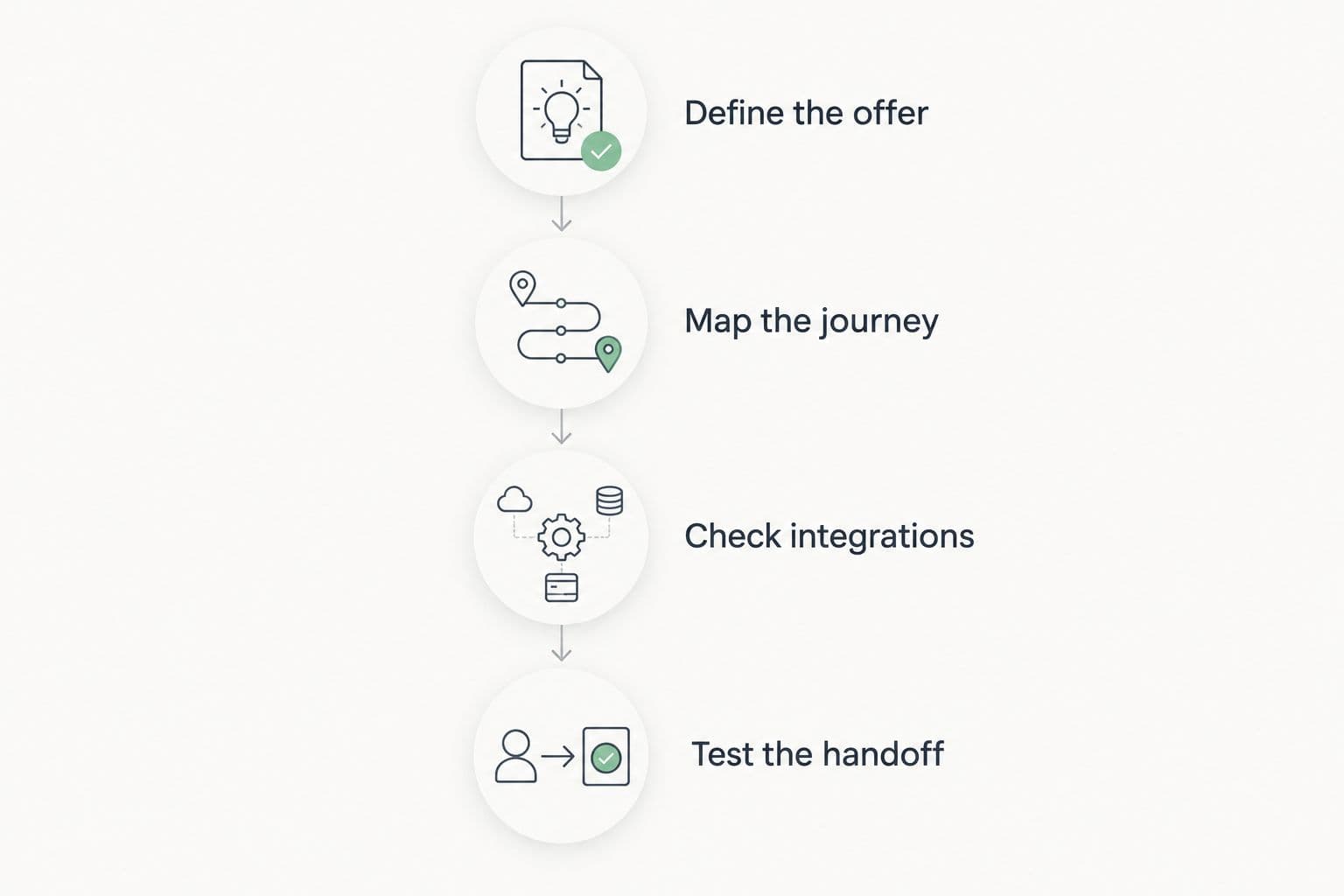
Choose the platform after defining the subscriber journey, not before.
Check the failure cases as well as the intended journey. Unsubscribe a test contact, change its status, and confirm that promotional follow-up stops where intended. A useful automation is one you can inspect, understand, and correct.
FAQ
What's the best email marketing tool for online coaches?
Kit is the default recommendation for online coaches who sell through educational content and automated email sequences. MailerLite is the better fit for a straightforward newsletter, while ActiveCampaign fits more complex follow-up.
Is Kit better than MailerLite for a coaching business?
Kit is the stronger fit when subscriber tags and content-led sequences organize your coaching funnel. MailerLite fits a simpler newsletter operation. Choose according to the workflow you need, not a universal winner.
Do online coaches need ActiveCampaign?
Online coaches need ActiveCampaign's advanced workflow capabilities only when their sales process requires conditional follow-up. A newsletter and a welcome sequence alone do not justify adding that configuration burden.
Can Mailchimp work for an online coaching business?
Mailchimp works for campaign-led coaching communication, including newsletters and enrollment announcements. Plan your audience structure and confirm how booking or purchase events affect follow-up.
When should a coach choose Brevo?
A coach should choose Brevo when email marketing, messaging, and transactional communication each have a defined purpose. Check consent requirements and the systems that trigger operational messages before adding channels.
How many emails should a coaching welcome sequence include?
A 3-email sequence is a practical starting structure: deliver the resource, explain the problem, and invite a next step. It is a planning recommendation, not a proven optimum. Add emails when they answer a distinct reader need.
What should I check before switching email platforms?
Check consent records, subscriber fields, suppression status, active automations, and booking or checkout connections before switching. Recreate and test the subscriber journey before moving routine sends to the new platform.
One last thing
For your 2026 setup, test what happens after someone becomes a client, not just after someone joins your list. Successful signup automation is only half the job. Your prospect emails need an exit rule tied to the event that changes the relationship.
The fVnnel's final recommendation: choose the simplest email marketing tool that can recognize the difference between a prospect and a client. That distinction matters more than another template or another branch you do not need.