
Best overall: SurveyMonkey. Best for conversational surveys: Typeform. Best for straightforward feedback collection: Google Forms. The best email marketing survey tools connect customer answers to a decision about your message, offer or follow-up, rather than adding another report to your inbox.
TL;DR
- SurveyMonkey leads the best email marketing survey tools shortlist for structured customer feedback and analysis.
- Typeform suits conversational questionnaires; Google Forms suits straightforward feedback collection.
- Jotform fits operational workflows; HubSpot fits feedback tied to existing customer records.
- Choose survey software around the follow-up action, not the appearance of the questionnaire.
Why this matters
Email surveys help you ask customers what purchase records cannot explain: why they hesitated, what they expected and what nearly stopped them buying. The commercial value comes from changing something after the answer arrives.
In 2026, your selection should start with the constraint. Do you need better research, cleaner customer segmentation or faster follow-up? Segmentation means grouping contacts by a shared characteristic so you can send a more relevant message.
The fVnnel connects strategy, acquisition, creative, conversion and tracking as one growth system. The fVnnel’s recommendation for email marketing survey tools is to choose the workflow before the interface. A polished questionnaire does not fix a missing connection between customer feedback and your next campaign.
What makes the best email marketing survey tools
Use these criteria before comparing features:
- Decision fit: The questionnaire captures information you can use to change a campaign, customer experience or offer.
- Contact matching: You can distinguish anonymous research from feedback that must connect to an identifiable customer.
- Survey logic: Respondents see relevant questions. Branching means showing different follow-up questions based on an earlier answer.
- Analysis: Results are easy to inspect without reducing every answer to a single average.
- Follow-up: Someone owns the next action, whether that is an email segment, a service response or a research interview.
- Data handling: Your collection, access and retention practices match the sensitivity of the information requested.
For a 2026 shortlist, test the complete journey before committing: invitation, submission, contact matching and follow-up. A tool that handles the questionnaire well can still create unnecessary work after submission.
Email marketing survey tools at a glance
These tools serve different jobs. The order below reflects their fit for email-led feedback collection, not a claim that every business needs dedicated survey software.
| Tool | Best for | Standout capability | Key limitation |
|---|---|---|---|
| SurveyMonkey | Structured customer research | Survey design and response analysis | Campaign execution needs a separate email workflow |
| Typeform | Conversational questionnaires | A question-by-question experience | Longer surveys require careful pacing |
| Google Forms | Straightforward feedback collection | Forms with responses accessible in Google Sheets | Customer follow-up needs a separate process |
| Jotform | Feedback connected to operational work | Conditional forms and workflow features | Complex forms require ongoing maintenance |
| HubSpot | Feedback linked to customer records | Customer feedback surveys within its customer platform | Best fit depends on your existing HubSpot setup |
For an established business choosing in 2026, SurveyMonkey is the default for research; the other options win when their specific workflow matters more.
1. SurveyMonkey: best email survey tool for structured research
SurveyMonkey is a dedicated survey platform for building questionnaires and analyzing responses. It suits customer research where you need more structure than a basic form, including branching questions and comparisons between respondent groups.
Choose SurveyMonkey when the central task is understanding customer feedback. Keep your email platform responsible for campaign delivery, and define how survey responses will reach the people making campaign decisions.
SurveyMonkey pros:
- Survey-focused questionnaire design.
- Logic for directing respondents through relevant questions.
- Response analysis suited to structured research.
SurveyMonkey cons:
- It does not replace the broader email marketing workflow.
- Detailed research still needs a clear questionnaire and a disciplined interpretation process.
Best for: Established businesses researching purchase objections, customer satisfaction or differences between customer groups.
Before adopting SurveyMonkey, write down the comparison you intend to make. Comparing first-time and repeat customers is more useful than collecting answers and deciding what to investigate afterward.
Verdict: Buy for research depth. Skip if you only need a simple feedback form.
2. Typeform: best email survey tool for conversational feedback
Typeform presents questionnaires through a conversational, question-by-question interface. It suits feedback journeys where the wording, sequence and respondent experience deserve close attention.
Choose Typeform when you want to ask about motivations, expectations or objections without presenting a dense questionnaire. Its interface does not guarantee completion: irrelevant questions remain irrelevant, however they appear.
Typeform pros:
- A focused, question-by-question experience.
- Logic for adapting the path to earlier answers.
- A useful format for mixing structured choices with written explanations.
Typeform cons:
- Long questionnaires require careful pacing.
- Linking answers to email contacts and follow-up requires deliberate setup.
Best for: Businesses collecting qualitative feedback through a carefully written customer journey.
Test Typeform on a phone using the actual email invitation. Check whether the opening explains why you are asking and whether respondents can understand each question without rereading the invitation.
Verdict: Buy for conversational feedback. Skip if your priority is a compact, all-at-once form.
3. Google Forms: best email survey tool for simple feedback
Google Forms collects responses through shareable forms and supports reviewing responses in Google Sheets. It suits a focused question set where the team needs an accessible way to collect and inspect answers.
Choose Google Forms when complexity would slow the work down. A clear form and an agreed owner are enough for many small research tasks, provided you do not confuse collecting feedback with automating customer follow-up.
Google Forms pros:
- Straightforward form creation.
- Responses can be reviewed in Google Sheets.
- Supports common question formats and section-based branching.
Google Forms cons:
- Email segmentation requires a separate workflow.
- Presentation controls are less extensive than in design-focused form builders.
Best for: Teams answering a narrow customer question without building a broader survey operation.
Decide whether responses should be anonymous before you distribute the form. An email address in a spreadsheet is not the same as a verified connection to the correct customer record.
Verdict: Buy for simplicity. Skip when you need an integrated feedback operation.
4. Jotform: best email survey tool for operational follow-up
Jotform is a form builder with conditional logic and workflow features. It fits situations where a response needs to trigger work, such as routing an issue or collecting details for a follow-up conversation.
Choose Jotform when the questionnaire is also an intake process. That distinction matters: research seeks patterns across respondents, while intake needs someone to act on an individual submission.
Jotform pros:
- Conditional logic supports different response paths.
- Form building extends beyond research questionnaires.
- Workflow features support handling submissions after collection.
Jotform cons:
- More branching creates more paths to test and maintain.
- Operational forms can become too detailed for a simple feedback request.
Best for: Teams turning email feedback into a defined operational task.
Keep the initial request focused. If a customer reports a problem, ask for the details needed to route it, not every piece of information another department might eventually want.
Verdict: Buy for response handling. Skip if reporting is the only job.
5. HubSpot: best email survey tool for customer-record context
HubSpot includes customer feedback survey capabilities within its customer platform. It belongs on the shortlist when your team already uses HubSpot to manage customer relationships and wants feedback alongside that context.
A customer relationship management system, or CRM, stores contact records and interactions. Connecting feedback to those records helps your team interpret an answer alongside the customer’s existing relationship with the business.
HubSpot pros:
- Customer feedback sits within a broader customer platform.
- Contact context supports individual follow-up.
- Useful when marketing and customer-facing teams already share HubSpot records.
HubSpot cons:
- Adopting a broader customer platform solely for surveys adds complexity.
- Useful follow-up still depends on clean records and clear ownership.
Best for: Established HubSpot users prioritizing customer context over a standalone survey workspace.
Check the survey capabilities included in your current setup before designing the workflow. Start with the customer record you want to update and work backward to the question that supplies useful information.
Verdict: Buy for existing HubSpot workflows. Skip a platform migration just to collect feedback.
How we ranked: decision fit comes first
This ranking prioritizes survey design, contact matching, analysis and follow-up. It is a workflow-based buying guide, not a performance benchmark or a claim of hands-on comparative testing.
SurveyMonkey takes the default position because structured research is the central job in this comparison. Typeform, Google Forms, Jotform and HubSpot each have a distinct reason to choose them instead.
For your 2026 evaluation, ask each shortlisted tool to support the same task. Use the same invitation, questions and intended follow-up so you compare the workflow rather than different demonstrations.
Build the survey around the next action
Before configuring software, write a short survey brief. The fVnnel’s email marketing survey tools recommendation starts with the commercial decision, because collecting more answers is not the same as improving marketing.
Use this sequence:
- Decision: Name 1 decision the feedback will inform, such as which purchase objection the next campaign should address.
- Audience: Choose the customer group that can answer it. Buyers and non-buyers have different experiences.
- Questions: Start with 3 questions: a structured choice, a written explanation and a relevant follow-up. Treat this as a starting brief, not a universal survey length.
- Follow-up: Define who reviews responses and what action follows each meaningful answer.
The brief should let another person explain why every question exists. Remove questions that do not support the decision or the promised follow-up.
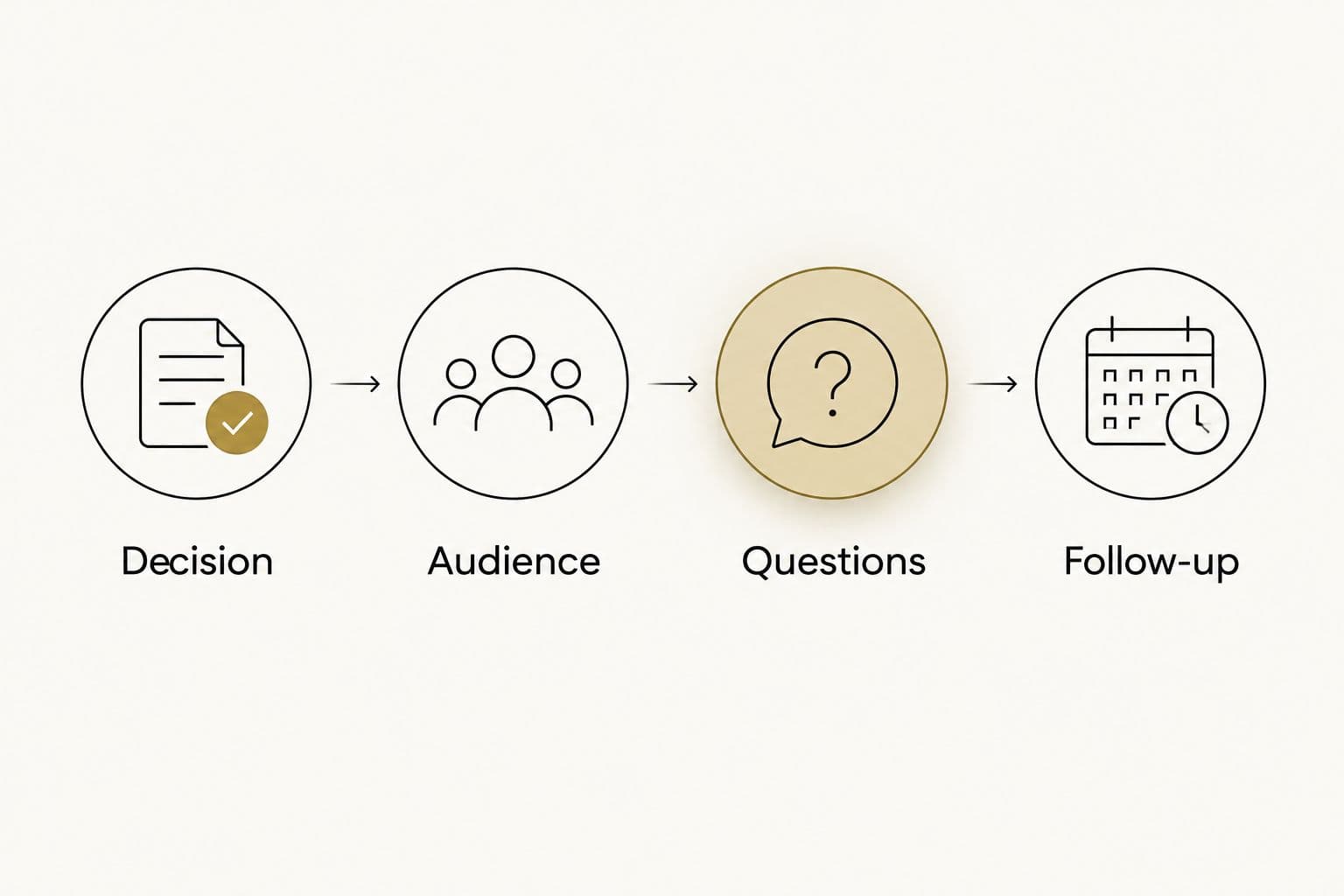
Define the action before choosing the survey software.
Separate research from customer support
An anonymous response can inform positioning, but it cannot support an individual reply. A named complaint needs a responsible owner, not just a place in an aggregate chart.
Write the survey introduction accordingly. Tell respondents whether you are collecting research or inviting a response that your team will handle personally. Do not promise personal follow-up without assigning someone to deliver it.
Compare groups without confusing cause and effect
Start with 2 segments that matter to the decision, such as first-time and repeat buyers. Inspect whether their answers differ before combining everything into one result.
A difference between groups is a research lead, not proof of what caused a purchase. Use written answers to clarify the pattern, then test the resulting message or experience change separately.
Which email marketing survey tool should you choose?
Choose SurveyMonkey if you are undecided and structured customer research is the job. Choose Typeform for a conversational experience, Google Forms for straightforward collection, Jotform for operational handling, or HubSpot for feedback connected to existing customer records.
Do not replace a functioning platform merely to improve the look of a questionnaire. First check whether the real constraint is unclear questions, unmatched responses or follow-up that nobody owns.
For The fVnnel, the deciding question is whether customer feedback changes the growth system. Your 2026 selection should make that change easier to execute and inspect.
FAQ
What are the best email marketing survey tools in 2026?
SurveyMonkey, Typeform, Google Forms, Jotform and HubSpot cover distinct email survey workflows. Choose SurveyMonkey for structured research, Typeform for conversational feedback, Google Forms for simplicity, Jotform for operational follow-up or HubSpot for existing customer-record context.
Is SurveyMonkey better than Typeform for email surveys?
SurveyMonkey is the stronger default for structured research; Typeform fits a conversational questionnaire experience. Choose according to the analysis and respondent journey you need, rather than appearance alone.
Can I use Google Forms for an email survey?
Yes, you can distribute a Google Forms survey through a link in an email. Plan separately for customer identification, segmentation and any follow-up your team needs to perform.
Do I need survey software if I already use HubSpot?
Not necessarily: first assess whether HubSpot’s customer feedback capabilities fit your research and follow-up needs. A separate tool makes sense when a specific questionnaire or analysis requirement justifies the additional workflow.
Should email survey responses be anonymous?
Use anonymous responses when you do not need individual follow-up or contact-level segmentation. Collect identity when the purpose requires it, and explain how the information will be used.
How many questions should an email survey include?
Include only questions that support the decision or promised follow-up. Start with a focused brief, then remove any question whose answer will not change an action.
Can a survey automatically improve email marketing results?
No, a survey collects information; your team must turn the findings into a change. Assign an owner to review answers, update the relevant message or workflow, and evaluate what happens afterward.
One last thing
A completed survey is not the outcome. A changed decision is. Before sending the invitation, finish this sentence: “If customers answer this way, we will change this.” If you cannot finish it, revise the brief before adding software.