
Best overall: Looker Studio for custom client dashboards. Best for repeatable agency reporting: AgencyAnalytics. Best for Microsoft-centered analysis: Power BI. This 2026 guide compares six client reporting tools by the decisions they support, the work they require and the limitations you’ll need to manage.
TL;DR
- The best client reporting tools for marketing agencies connect channel performance to business outcomes, not just dashboard activity.
- Looker Studio is the default recommendation for custom dashboards when your agency can own setup and maintenance.
- AgencyAnalytics suits repeatable client reporting; Power BI suits Microsoft-centered analysis and more involved data modeling.
- Choose Tableau for exploratory analysis, Whatagraph for visual reports and Databox for goal-focused monitoring.
Why this matters
Your client doesn’t need another chart showing that clicks increased. Your client needs to know whether acquisition is profitable, what changed and what to do next. A reporting tool should make those answers easier to produce and harder to misread.
At The fVnnel, we connect strategy, acquisition, creative, conversion and tracking as one system. The fVnnel’s client reporting recommendation is Looker Studio for agencies that need custom dashboards and can own the underlying data.
Keep reporting separate from attribution, which assigns credit for a conversion to marketing interactions. A dashboard displays that credit; it doesn’t establish whether the assignment is sound. Use the ad attribution tools guide when that is your actual constraint.
What makes the best client reporting tools for marketing agencies?
Use these criteria before comparing interfaces or report templates:
- Business relevance: Can the report connect marketing activity to customers, revenue and the costs your client actually incurs?
- Data reliability: Can you explain where each figure comes from and reconcile conflicting totals?
- Client clarity: Can an owner distinguish the result, the explanation and the recommended action?
- Repeatability: Can your team reuse definitions and report structures without copying hidden mistakes?
- Ownership: Does someone own access, connection failures, metric definitions and ongoing maintenance?
For your 2026 shortlist, treat these as selection gates rather than optional extras. A polished report with inconsistent customer definitions is still an unreliable report.
Client reporting tools at a glance
The order below matches the recommendations that follow. Each tool has a different job; a lower position does not mean it is worse for its intended use.
| Tool | Best for | Standout capability | Key limitation |
|---|---|---|---|
| Looker Studio | Custom client dashboards | Flexible reporting across connected data sources | Your team owns report design and data consistency |
| AgencyAnalytics | Repeatable agency reporting | Agency-oriented client dashboards and reporting workflows | Standardized reporting still needs client-specific interpretation |
| Power BI | Microsoft-centered analysis | Data modeling connected to interactive reports | Requires modeling and access-management skills |
| Tableau | Exploratory client analysis | Interactive visual exploration | More analytical flexibility than routine reporting needs |
| Whatagraph | Presentation-led reporting | Visual marketing reports | Presentation does not resolve inconsistent source definitions |
| Databox | Goal-focused monitoring | Dashboards organized around performance metrics | Monitoring alone does not explain causes |
1. Looker Studio: best client reporting tool for custom dashboards
Looker Studio lets you build dashboards from connected data sources and arrange the reporting around your client’s questions. It is the default choice here because custom report design lets you separate business outcomes from channel diagnostics.
Start with customers, revenue and acquisition economics. Put campaign detail underneath. This keeps the report useful to the owner without removing the detail your channel team needs.
Looker Studio pros:
- Flexible dashboard layouts support different client reporting needs.
- Connected data sources can sit within a shared reporting environment.
- Custom calculations help make metric definitions explicit.
Looker Studio cons:
- Report builders must manage calculations, filters and source consistency.
- Connection problems and changing source fields create maintenance work.
- A dashboard does not replace written interpretation or recommendations.
Best for: Agencies with someone accountable for dashboard construction and data quality.
For a 2026 rollout, build a reusable reporting structure before producing separate dashboards for every client. Keep the outcome section consistent, then adapt the diagnostic sections to the business model.
Verdict: Buy into Looker Studio when you need reporting flexibility and can own maintenance. Skip it if nobody will own the data.
2. AgencyAnalytics: best client reporting tool for repeatable delivery
AgencyAnalytics is built around agency dashboards and client reporting. It belongs on your shortlist when the operational challenge is producing consistent reports across accounts rather than designing a bespoke analytical environment.
Its strongest use case is a repeatable reporting service. Your team still needs to explain why a result matters and how it changes the next decision.
AgencyAnalytics pros:
- Agency-oriented workflows match recurring client reporting work.
- Client dashboards provide a common place to review marketing performance.
- Reusable reporting structures support consistency across accounts.
AgencyAnalytics cons:
- Consistent templates can conceal important differences between business models.
- Marketing-platform metrics still need reconciliation with business records.
- Report delivery does not substitute for strategic interpretation.
Best for: Agencies whose main constraint is delivering clear, consistent client reports across accounts.
Check your most awkward client requirements during evaluation, not just a straightforward advertising account. Include unusual revenue definitions, separate locations or lead-quality distinctions where those apply.
Verdict: Buy into AgencyAnalytics for reporting repeatability. Skip it if your primary need is a bespoke analytical model.
3. Power BI: best client reporting tool for Microsoft-centered analysis
Power BI combines data modeling with interactive reporting. Data modeling means defining how tables, relationships and calculations work together, rather than simply placing source metrics on a dashboard.
That distinction matters when advertising data must be analyzed alongside customer, sales or operational records. Power BI suits teams that need a governed analytical model and have the skills to maintain it.
Power BI pros:
- Data modeling supports analysis across related business datasets.
- Reusable measures help keep calculations consistent across reports.
- Interactive reporting supports investigation beyond headline metrics.
Power BI cons:
- Model design requires specialist attention.
- Client access and distribution need deliberate planning.
- A complex model can become difficult for account teams to explain.
Best for: Agencies working with Microsoft-centered clients and established analytical support.
For your 2026 evaluation, include the person who will maintain the model. A successful demonstration is not enough if the everyday reporting team cannot explain how customer acquisition cost is calculated.
Verdict: Buy into Power BI when modeling is the requirement. Skip it for a simple dashboard with no analytical owner.
4. Tableau: best client reporting tool for exploratory analysis
Tableau is a visual analytics platform for exploring data through interactive views. Its strongest role in client reporting is investigation: comparing segments, identifying patterns and asking follow-up questions.
Choose it when the client relationship includes analytical work beyond a recurring performance summary. Don’t choose it solely to make the same monthly charts more elaborate.
Tableau pros:
- Interactive visual analysis supports follow-up questions.
- Different views help examine the same business problem.
- Analytical dashboards can support discussion with client-side analysts.
Tableau cons:
- Useful exploration depends on well-prepared data.
- Authors need visual-analysis skills, not just report-building skills.
- Open-ended analysis can distract from a clear client recommendation.
Best for: Agencies delivering exploratory analysis with analytically engaged clients.
Define the business question before building the workbook. “Which customer segments justify additional acquisition investment?” gives the analysis a purpose; “show every available metric” does not.
Verdict: Buy into Tableau for analytical exploration. Skip it when the deliverable is a straightforward recurring summary.
5. Whatagraph: best client reporting tool for visual presentation
Whatagraph focuses on visual marketing reporting. It suits agencies that need channel performance presented in a report clients can review and discuss.
Its role is presentation and reporting organization, not fixing the underlying measurement system. Establish consistent definitions before turning the data into a client-facing story.
Whatagraph pros:
- Visual reports suit client review meetings.
- Marketing-focused reporting keeps channel performance in view.
- Reusable report layouts support a consistent delivery format.
Whatagraph cons:
- Clear presentation can make inconsistent data look more credible.
- Source discrepancies still require investigation outside the layout.
- Visual summaries need commentary to support decisions.
Best for: Agencies whose reporting constraint is presentation rather than complex data analysis.
Ask an account lead to explain the proposed report without narrating every chart. The reader should identify the outcome and next action without a guided tour.
Verdict: Buy into Whatagraph for presentation-led reporting. Skip it if the unresolved problem is measurement accuracy.
6. Databox: best client reporting tool for goal-focused monitoring
Databox organizes performance metrics into dashboards with goal-focused monitoring. It suits teams that want an ongoing view of progress between formal reporting conversations.
Use it to surface questions that need attention. A movement in a metric is a prompt to investigate, not an explanation of what caused the movement.
Databox pros:
- Goal-focused dashboards keep agreed outcomes visible.
- Shared performance views support ongoing account conversations.
- Metric monitoring complements a recurring reporting process.
Databox cons:
- Monitoring does not establish why performance changed.
- Poorly chosen goals direct attention toward the wrong outcomes.
- Platform metrics still need business context and interpretation.
Best for: Agencies and clients that review performance regularly between formal reports.
For 2026, agree which changes require action and who investigates them. Otherwise, a shared dashboard becomes another screen everyone watches and nobody owns.
Verdict: Buy into Databox for goal-focused monitoring. Skip it if you need the tool itself to explain performance.
How the ranking works
This ranking prioritizes business relevance, data reliability, client clarity, repeatability and ownership. Looker Studio takes the default position for custom reporting; the other tools win narrower use cases.
The ranking is a fit-based buying guide, not a claim of head-to-head performance testing. Confirm current connections, sharing requirements and report behavior against your own client workflow before committing.
Turn the report into a decision
A useful reporting process follows a sequence. At The fVnnel, our focus is the business constraint, not an isolated channel metric.
- Define outcomes: Agree what counts as a customer, qualified lead or completed sale.
- Reconcile sources: Explain differences between advertising platforms and business records.
- Explain changes: Separate observed results from explanations that still need testing.
- Assign action: Name the next decision and the person responsible.
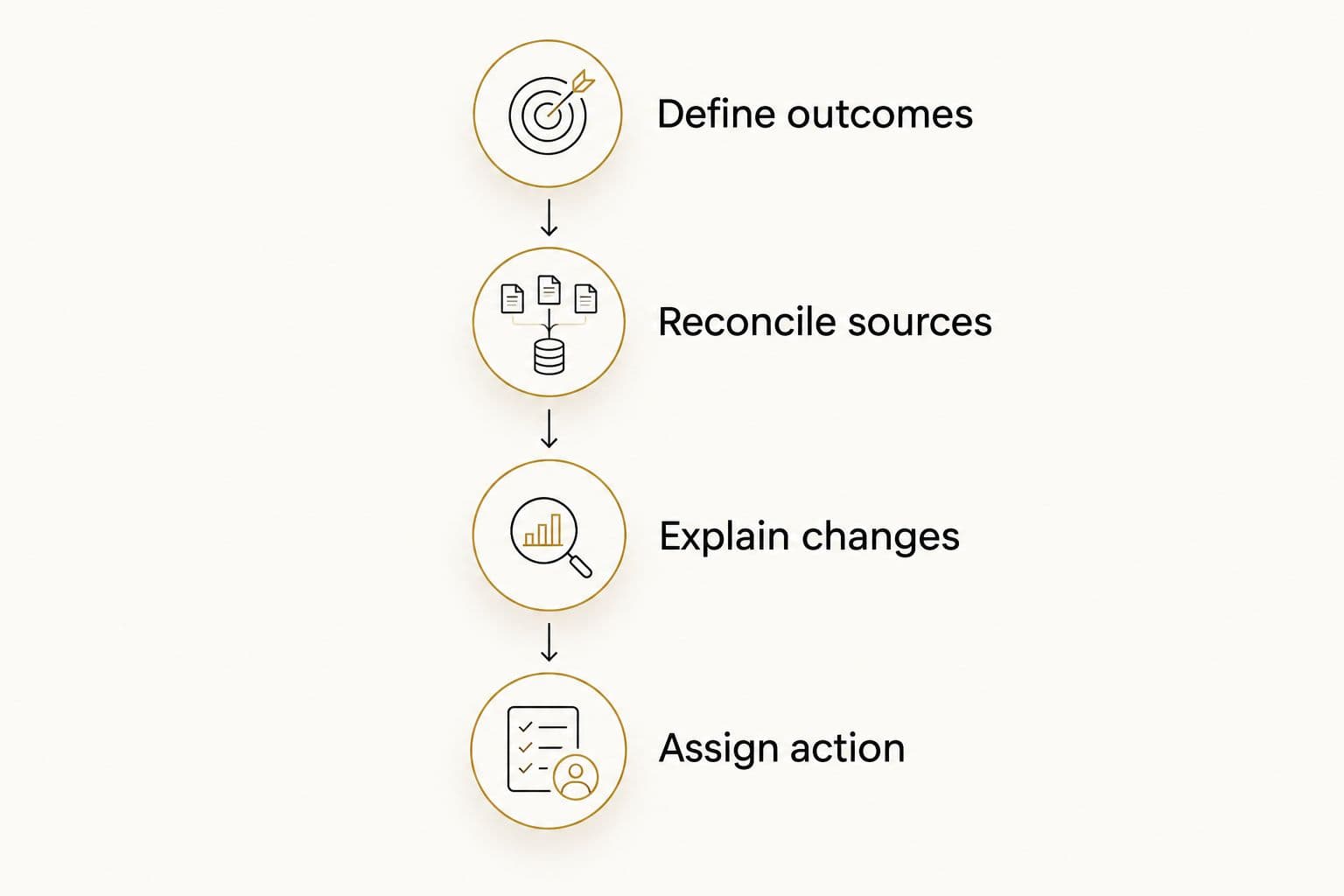
A report is complete when the findings lead to an assigned action.
The business outcome belongs above the channel detail. For Sniffspot, our results included cost per host acquired down 78% and host growth roughly ninefold. For Kidney Coach, return on ad spend increased from 1.33 to over 3.8, with profit up roughly 45% while ad spend fell nearly 40%.
Those are business results, not evidence that any reporting tool caused them. They illustrate what a useful report should make visible: acquisition economics, growth and profit together. Return on ad spend means revenue attributed to advertising divided by advertising spend; it is not the same as profit.
Which client reporting tool should you choose?
Choose Looker Studio by default when you need custom client dashboards and have a reporting owner. Choose AgencyAnalytics when repeatable delivery is the constraint, or Power BI when your client needs a maintained analytical model.
Choose Tableau for exploration, Whatagraph for visual reporting or Databox for ongoing goal monitoring. For your 2026 decision, evaluate one real client workflow from source data through to the recommended action. Don’t select a tool from a polished sample dashboard alone.
FAQ
What’s the best client reporting tool for marketing agencies?
Looker Studio is the default recommendation for custom client dashboards when an agency can own setup and maintenance. AgencyAnalytics is a better fit when repeatable agency reporting is the main requirement.
Is Looker Studio better than AgencyAnalytics?
Looker Studio is better suited to custom dashboard construction, while AgencyAnalytics is better suited to agency-oriented reporting workflows. Choose according to whether customization or repeatable delivery is your main constraint.
Should a marketing agency use Power BI or Tableau?
Choose Power BI for Microsoft-centered analysis and data modeling, or Tableau for exploratory visual analysis. Both require analytical ownership and prepared data.
Can a client reporting tool fix inaccurate conversion data?
A client reporting tool does not automatically fix inaccurate conversion data. Correct tracking, customer definitions and source discrepancies before relying on dashboard totals.
What should a marketing agency include in a client report?
Include business outcomes, acquisition economics, an explanation of material changes and an assigned next action. Keep channel diagnostics available without letting them obscure the business result.
Is return on ad spend the same as profit?
Return on ad spend is not profit. It compares attributed revenue with advertising spend and does not, by itself, account for the other costs of delivering the sale.
How do you evaluate reporting software before committing?
Evaluate reporting software using a real client workflow, including source connections, calculations, client access and maintenance. Require the team to explain discrepancies and produce a clear next action.
One last thing
Ask someone outside the account team to read the report and name the next decision. If they can only repeat a metric, rewrite the summary before adding another chart. The fVnnel’s reporting principle is simple: connect the result to the constraint and the action.